Start here
Wax Cache documentation
Wax Cache helps collectors and small sellers organize physical card inventory, find saved cards, create eBay listings, and keep sales records.
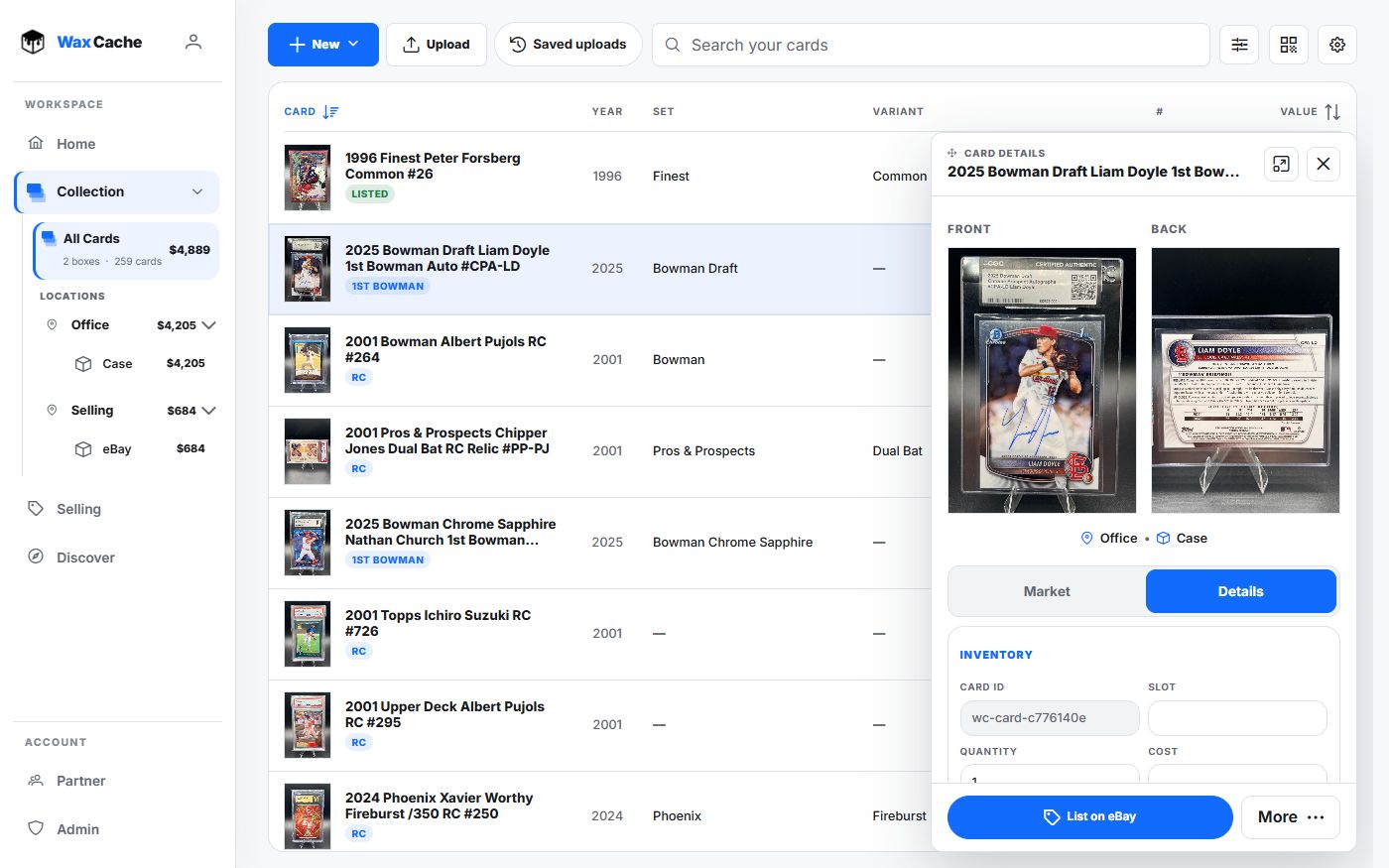
Free includes 25 active cards, 5 boxes, 5 locations, inventory and selling tools, and 5 cards newly published to eBay per month. Added copies and cards in lots count; selling or ending a listing does not refund the allowance. Automatic renewals and ordinary edits do not count again. Free also includes 50 AI scans and 50 fresh price lookups per month. Monthly allowances reset in UTC.
Your shelf is the source of truth. Wax Cache gives every real location, real box, and real card a digital record that can be searched, scanned, shared, and, valued or exported.
Core surfaces
Home
Collection totals, value history, Rising & falling, collection mix, top holdings, and recent additions.
Collection
Inventory, boxes, locations, search, QR labels, uploads, and bulk tools.
Scan
Capture cards or scan QR labels. Review suggested fields before saving.
Selling
Workspace for sales overview, batches and drafts, Sold history, and reports.
Profile
Profile, Selling, Activity, and Data tabs cover identity, eBay setup, account history, exports, and deletion.
Recommended first pass
Create one location
Name the real place: Bedroom, Closet, Office shelf, Card show case, or whatever you would say out loud.
Create one box
Name the digital box after the physical container. Keep it boring and literal.
Add a small batch of cards
Scan or upload a few cards into that box. Review the suggestions before saving.
Print a QR label
Attach the label to the matching physical box so you can jump back to it later.