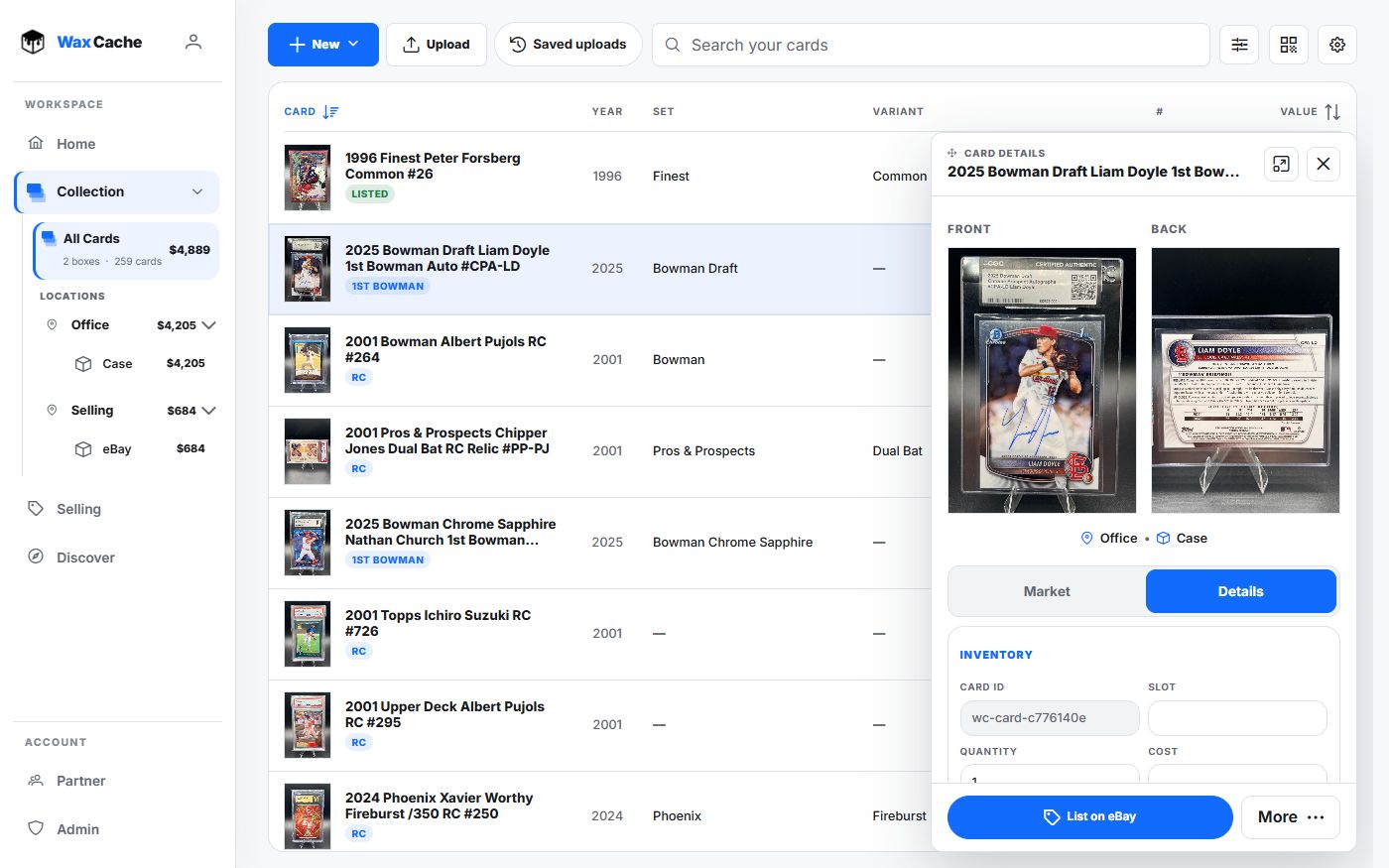
Start with the physical place
Do not start by typing every card. Start by naming where cards actually live. A clean storage model makes every scan, public link, and import, value, or export easier to trust later.
- 1
Open Collection
CollectionUse the desktop Collection workspace for the most control, or the mobile Collection tab when you are standing near the boxes.
- 2
Create a location
New → New locationUse plain physical names such as Bedroom Closet, Office Shelf, Safe, Store Inventory, Card Show Case, or PC Shelf.
- 3
Create boxes under that location
New → New boxName each box after the physical container. Boring names are better than clever names when you need to find cards six months later.
- 4
Add or move cards into the box
ScanUploadMove cardCards can enter by scan, manual edit, moving existing rows into the right box, or CSV import workflows.
Use names that will still make sense later
- Use location names you would say out loud while looking for the card.
- Use box names that match labels, shelves, or show inventory categories.
- Avoid duplicate box names unless the location makes the difference obvious.
- Move the digital record whenever the physical card moves.
A card record is only useful if the storage path is true. Treat box and location as inventory data, not decoration.
Connect organization to retrieval
- 1
Print a box QR label
CollectionQR codesAttach a label to the matching physical box so scans jump back into Wax Cache.
- 2
Search the box and card names
SearchSearch player, character, set, year, card number, location, or box name to verify the system points to the right place.
- 3
Use Home for daily routing
HomeHome shows tracked collection totals, value history, movers, and recent additions. Open Selling for listing work and recorded sales.
FAQ
Should I organize cards by player, set, or box?
Use boxes and locations for physical retrieval, then use player, set, year, card number, variant, and notes as searchable card fields. The storage model answers where the card is; metadata answers what the card is.
Can Wax Cache handle multiple locations?
Yes. Wax Cache is built around locations and boxes, so collections can be split across shelves, rooms, safes, show cases, card shop inventory, or other real storage areas.