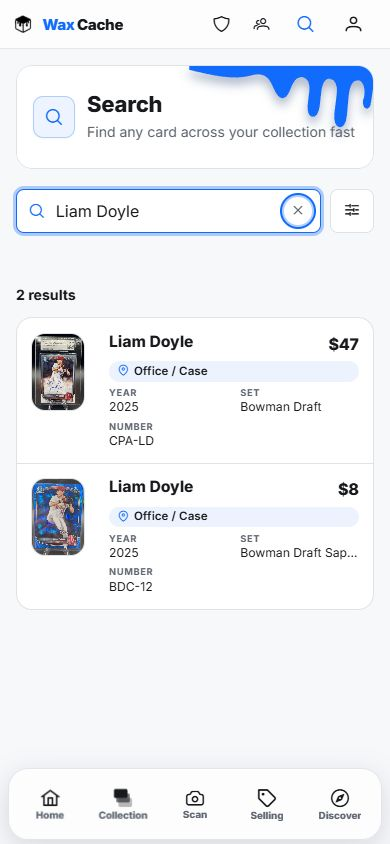
Search the way you remember the card
- Identity: player, character, team, game, set, year, card number, or publisher.
- Variation: parallel, variant, rarity, rookie, autograph, memorabilia, grade, or serial.
- Storage: box name, location name, notes, sold state, or show inventory.
- Money: value, cost, profit/loss, sold price, or listing state where available.
Retrieve from mobile
- 1
Open Search
CollectionSearchOpen search from your collection when you are near the shelves, boxes, or show case.
- 2
Search natural terms
Search inputTry a player, character, set, year, box name, location, variant, or card number.
- 3
Open the result
ResultCard detailsConfirm the image, title, box, location, and value before pulling the card.
- 4
Follow the storage path
LocationBoxUse the location and box data to retrieve the physical card without digging through unrelated boxes.
Make search better over time
Search quality improves when saved card records include clean identity fields, accurate box and location, useful notes, and current sold/listing state.
FAQ
Can Wax Cache search by box or location?
Yes. Wax Cache is built around physical organization, so box and location context is part of retrieval instead of being trapped in a separate note.
What should I do if search does not find a card?
Open the card from Collection if you know the box, then clean up title, player, character, set, number, variant, notes, and storage fields so future searches work.