Pack from a checked inventory
- 1
Name the containers
CollectionBoxes and locationsUse literal names for the cases, binders, and boxes you will take. Update the saved storage when a physical card moves into a show box.
- 2
Count copies and distinguish variants
Check quantity, set, card number, condition, and variant against the physical cards. Several identical copies count as several cards; similar-looking parallels should remain distinguishable.
- 3
Review records and labels
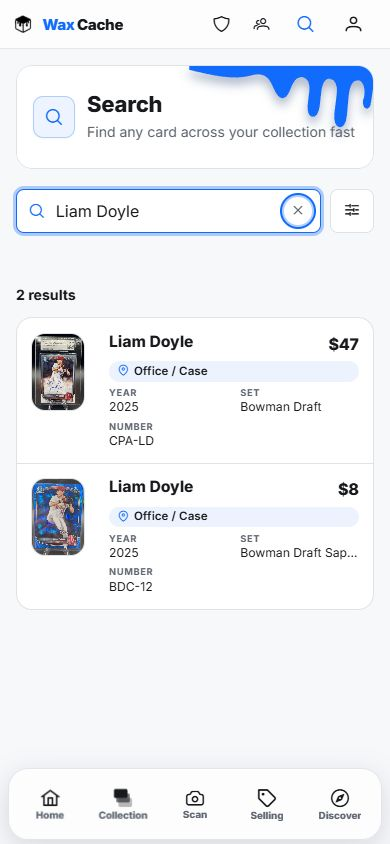
CollectionQR codesConfirm photos and notes, print useful box QR labels, and test one before labeling all containers. Search a few cards from your phone to check their storage paths.
- 4
Keep a separate backup
ProfileDataExport collection (CSV)Export a copy before the event and carry an independent printed or saved inventory list if connectivity is unreliable. Treat Wax Cache as a connected service rather than assuming an offline mode.
Record sales and reconcile the return
- 1
Record the correct card and quantity
Use the manual sold workflow for a sale made at the show. Check the card and number of copies so the saved record matches what changed hands.
- 2
Review Selling
SellingSold historyCompare recorded sales with your separate transaction notes. These records do not automatically connect another marketplace or reconcile its payments.
- 3
Count what came home
CollectionCheck remaining stock against the boxes and records. Update locations as cards return to their usual storage, and resolve unexplained differences before the next event.
- 4
Keep sale proceeds and costs distinct
Selling totals are before fees and shipping. Known card costs help explain the records, but they do not produce full net-profit accounting.
Free includes 25 active physical cards, 5 boxes, and 5 locations, with shared inventory, QR, import, export, and sales-record tools. Hobby adds unlimited inventory and storage. The Free eBay publishing allowance is separate from recording a show sale.
FAQ
Can buyers purchase from my public box link?
The public box view is read-only. It helps buyers browse the inventory you choose to share; it is not a payment checkout or point-of-sale tool.
Should I depend on an offline mode at a show?
Plan to use Wax Cache with a connection. Keep an independent CSV export or printed list for weak connectivity rather than assuming offline search, QR views, or sale recording will work.
Does recording a show sale automatically list on another marketplace?
No. Recording an outside sale keeps inventory and sale records together. It does not create an automatic integration with that channel, process payments, or cross-post listings.