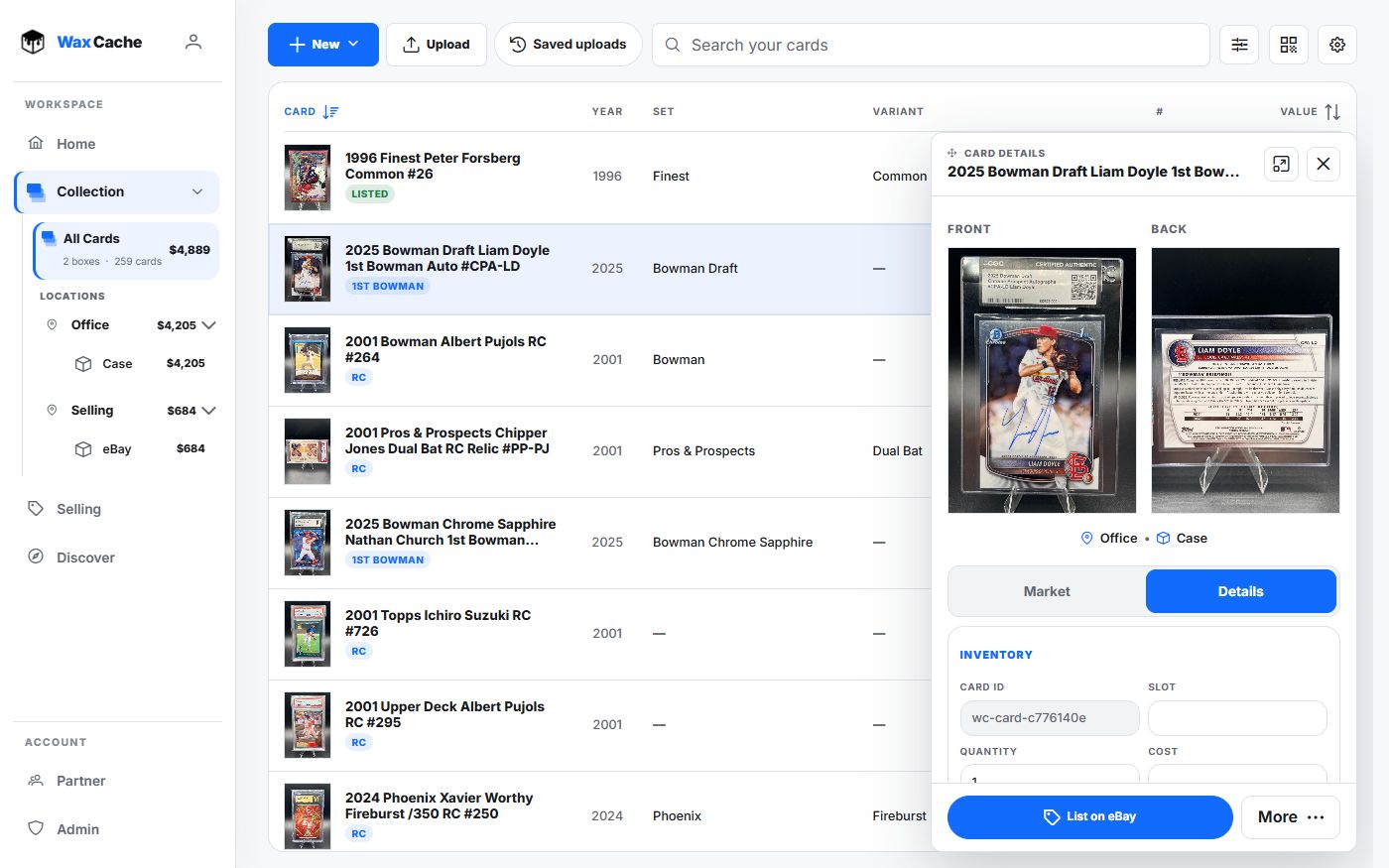
Decide what the spreadsheet is doing today
- Identity: year, player or character, set, card number, variant, rarity, team, game, or publisher.
- Storage: location, box, binder, shelf, case, or show inventory.
- Money: value, cost, sold price, profit/loss, and listing state.
- Media: front image URL, back image URL, and public sharing context.
Import without losing structure
Free and Hobby include spreadsheet imports. Free imports stay within the 25-card inventory limit.
- 1
Export or save the sheet
SpreadsheetCSV / XLSXKeep a backup copy before import so the original source remains available.
- 2
Open Upload Cards
CollectionUploadUse Upload in Collection. Saved uploads lets you resume photo and CSV work.
- 3
Choose a fallback box
Fallback boxRows without a box column need a safe destination. Create a temporary review box if needed.
- 4
Review mapping and import
Review mappingImport CardsMap common headers, fix mismatches, import rows, then spot-check several records immediately.
Use Wax Cache for what spreadsheets struggle with
- Scan cards from mobile and clean up records later on desktop.
- Attach front and back images to card records.
- Print QR labels for boxes or individual cards.
- Search across card identity, storage, notes, value, and seller state.
- Export CSV when you need analysis, backup, or migration.
Imports bring your inventory into Wax Cache; CSV export gives you a backup and exit path on Free and Hobby.
Test a small import before expanding
- 1
Keep an untouched backup
Save the original workbook and a copy of the file you plan to import. Keep formulas and any fields the importer does not accept in that original backup.
- 2
Choose a representative sample
Include a few different variants, a record with multiple copies, and cards from more than one physical box. On Free, the total active quantity must stay within 25 cards.
- 3
Map only supported fields
Review identity, quantity, storage, condition, and money fields in the import mapping. Similar column names do not guarantee the same meaning; inspect the preview and keep unmatched information in your backup.
- 4
Reconcile the saved records
Open several imported cards. Check year, set, number, variant, quantity, and box against the file and the physical cards. Count physical copies rather than spreadsheet rows before importing the next batch.
A file import is not a guarantee that formulas, images, saved groups, or every column will transfer unchanged. Resolve a small sample first.
Keep a spreadsheet when it still fits
If you only need a short list and a few manual columns, a spreadsheet may be sufficient. Choose Wax Cache when saved photos, search, QR labels, shared boxes, or inventory-linked eBay drafts make the daily routine easier to manage. Keep separate records for fees and shipping; card costs and recorded sales are not full net-profit accounting.
FAQ
Can I import my existing card spreadsheet?
Yes. Free and Hobby support file import workflows for common tabular formats such as CSV, TSV, TXT, and XLSX, with a fallback box for rows that do not specify storage.
Can I export data back out of Wax Cache?
Yes. Free and Hobby support collection CSV export from Profile > Data so collectors can keep backups, analyze records, or migrate data.